
−46%
SD Cards
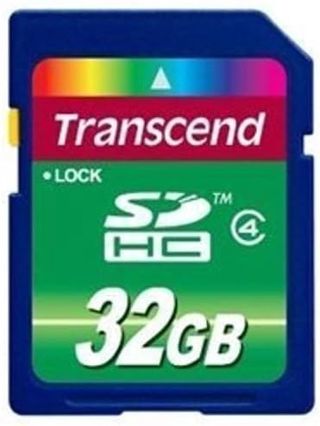
Nikon Coolpix S6500 Digital Camera Memory Card 32GB Secure Digital (SDHC) Flash Memory Card
$ 21.59
$ 39.99
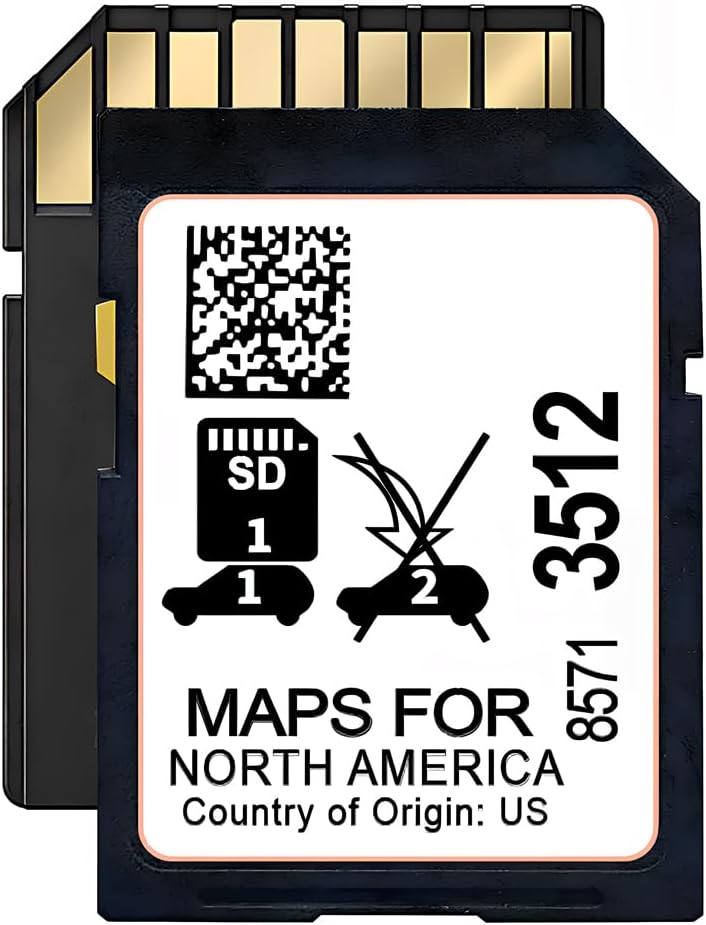 Image unavailable
$ 14.03 25.99
You save
Secure Checkout
Product description From the brand Swyran Smart Navigation. Serene Vibration. Swyran GM Navigation SD Card Swyran Top-selling Products About Swyran At Swyran, we fix unreliable navigation and rough rides with one perfect pair. We combine precision navigation cards and premium shock absorbers because a great drive needs both the right path and a smooth journey. Our mission is to harmonize tech and mechanics, turning every trip into a serene, confident experience. For drivers who value smart guidance and true comfort, we are your dedicated co-pilot. About Swyran At Swyran, we fix unreliable navigation and rough rides with one perfect pair. We combine precision navigation cards and premium shock absorbers because a great drive needs both the right path and a smooth journey. Our mission is to harmonize tech and mechanics, turning every trip into a serene, confident experience. For drivers who value smart guidance and true comfort, we are your dedicated co-pilot. How to install our navigation SD card? To install your navigation SD card, follow these simple steps: 1. Start your car's engine or turn the ignition to "On." 2. Locate the SD card slot (commonly near the infotainment screen or inside the center console). 3. Ensure the card's lock switch is set to "Unlocked." 4. Gently insert the SD card all the way into the slot. 5. Wait for the system to load the data, then select "Navigation" on the screen to start. How to install our navigation SD card? To install your navigation SD card, follow these simple steps: 1. Start your car's engine or turn the ignition to "On." 2. Locate the SD card slot (commonly near the infotainment screen or inside the center console). 3. Ensure the card's lock switch is set to "Unlocked." 4. Gently insert the SD card all the way into the slot. 5. Wait for the system to load the data, then select "Navigation" on the screen to start. What Not to Do with Your Navigation SD Card: 1. Do not remove the card while your vehicle's navigation system is active. 2. Do not use this card in computers, cameras, or any non-approved devices. 3. Important: After initial installation, the card is permanently locked to your vehicle's VIN and cannot be used in another car. 4. Map updates or resets cannot be performed manually by the user. What Not to Do with Your Navigation SD Card: 1. Do not remove the card while your vehicle's navigation system is active. 2. Do not use this card in computers, cameras, or any non-approved devices. 3. Important: After initial installation, the card is permanently locked to your vehicle's VIN and cannot be used in another car. 4. Map updates or resets cannot be performed manually by the user. Shock Absorber Installation Guide Important: Do not install immediately upon receipt. First, perform a function test: 1. Electrical Test: Plug in the connector and turn on the ignition. Wait 5 minutes. -No fault light: Proceed. -Fault light on: Check for power with a multimeter. If power is present, inspect and secure the metal pin connection in the plug. 2. Physical Test: Press the shock absorber up and down. The piston should move smoothly and quietly. Installation Notes: -Tighten all screws manually only. Do not use power tools. -After driving ~10 km, re-tighten screws to secure against vibration. Shock Absorber Installation Guide Important: Do not install immediately upon receipt. First, perform a function test: 1. Electrical Test: Plug in the connector and turn on the ignition. Wait 5 minutes. -No fault light: Proceed. -Fault light on: Check for power with a multimeter. If power is present, inspect and secure the metal pin connection in the plug. 2. Physical Test: Press the shock absorber up and down. The piston should move smoothly and quietly. Installation Notes: -Tighten all screws manually only. Do not use power tools. -After driving ~10 km, re-tighten screws to secure against vibration. [Compatible with]: ENCLAVE 2020 - 2024; ENCORE 2020 - 2023; ENVISION 2021 - 2023; CT4 2020 - 2024; CT5 2020 - 2024; CT6 2019 - 2020, 2022-2023; XT4 2019 - 2023; XT5 2020 - 2024; XT6 2020 - 2024; ESCALADE 2021 - 2024. [Compatible with]: BLAZER 2019 - 2024; BOLT 2021 - 2024; CAMARO 2019 - 2024; COLORADO 2019 - 2020, 2022-2023; CORVETTE 2020 - 2023; EQUINOX 2019 - 2024; MALIBU 2019 - 2024; SILVERADO 2019 - 2022; SUBURBAN 2021; TAHOE 2021; TRAVERSE 2020 - 2024; VOLT 2019. [Compatible with]: ACADIA 2020 - 2023; CANYON 2019 - 2022; SIERRA 2019 - 2022; TERRAIN 2019 - 2024; YUKON 2021. [Comprehensive Coverage]: Navigate confidently throughout North America with detailed maps covering the United States, Canada, and Mexico. Whether it's a cross-country road trip or a local commute, your destinations are covered. [Offline Reliability]: Say goodbye to data dependency! Our navigation SD card operates offline, ensuring that users can navigate through North America's vast landscapes without worrying about internet connectivity. Whether you're in a remote area or simply prefer to conserve data, our product offers reliable navigation without the need for constant online updates.
SD Cards
SD Cards
SD Cards
SD Cards