
−46%

Joysticks
XD2-PA24 Joystick Controllers, Monolever Joystick Controllers, XD2PA24CR Spring Return Momentary Joy Stick, Momentary Joy Stick Switch Replacement
$ 8.36
$ 15.49
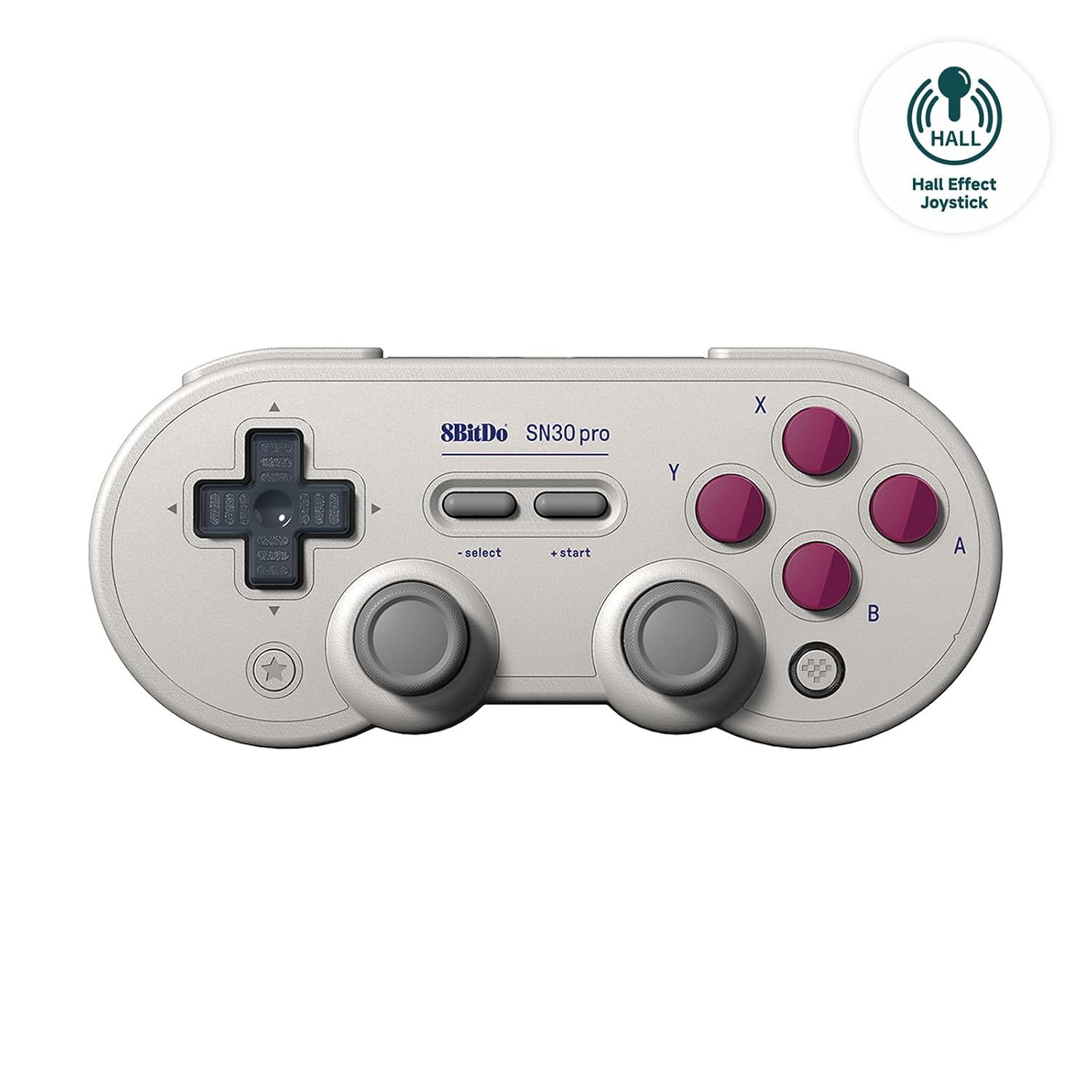 Image unavailable
$ 24.29 44.99
You save
Secure Checkout
Product description My controller does not turn on anymore. Nothing happens when I press on it. What should I do? First method: Press and hold START for 8 seconds. Second method: Update the firmware of controller. My controller does not turn on anymore. Nothing happens when I press on it. What should I do? First method: Press and hold START for 8 seconds. Second method: Update the firmware of controller. How can I make sure the button mapping on controller is as Switch Pro not Xbox controller when it is connected to Steam? A. Press and hold Y+START to turn on the controller B. Press and hold pairing button for 3 seconds to pair them C. Find ‘Switch Pro support’ & ‘Nintendo button mapping’ and click on them How can I make sure the button mapping on controller is as Switch Pro not Xbox controller when it is connected to Steam? A. Press and hold Y+START to turn on the controller B. Press and hold pairing button for 3 seconds to pair them C. Find ‘Switch Pro support’ & ‘Nintendo button mapping’ and click on them What are the four small LEDs for on the bottom of the controller? A. LED 1 blinking:D-input mode B. LED 2 blinking:X-input mode (Xbox 360 mode) C. LED 3 blinking:macOS mode D. LED Rotating: Switch mode or pairing mode E. Solid LED: connection is successful It also indicates the player mode when connected to Switch What are the four small LEDs for on the bottom of the controller? A. LED 1 blinking:D-input mode B. LED 2 blinking:X-input mode (Xbox 360 mode) C. LED 3 blinking:macOS mode D. LED Rotating: Switch mode or pairing mode E. Solid LED: connection is successful It also indicates the player mode when connected to Switch Can I use it wired, via a USB-C cable? Yes, you can. You can connect it to Switch, Windows 10, Android, Raspberry Pi and macOS using a USB cable. Can I use it wired, via a USB-C cable? Yes, you can. You can connect it to Switch, Windows 10, Android, Raspberry Pi and macOS using a USB cable. How many SN30 Pro controllers can I use at a time? It depends on the number of controllers each device can take. Multiple SN30 Pro controllers can be used at a time. How many SN30 Pro controllers can I use at a time? It depends on the number of controllers each device can take. Multiple SN30 Pro controllers can be used at a time. More Products by AKNES Store 8BitDo Ultimate 2C BT 8BitDo Ultimate 2C 2.4G 8BitDo Pro 3 Controller 8BitDo Ultimate 2 2.4G From the brand V7 Angle-Sensing TMR Joystick Visit the Store V7 Angle-Sensing TMR Joystick Visit the Store TMR Joystick Replacement Visit the Store TMR Joystick Replacement 8BitDo Products Visit the Store 8BitDo Products Switch 2 JoyCon TMR Joysticks Visit the Store Switch 2 JoyCon TMR Joysticks 8BitDo Custom-Colored Products Visit the Store 8BitDo Custom-Colored Products GuliKit's Product Visit the Store GuliKit's Product Wireless Connectivity: The 8Bitdo Sn30 Pro gamepad connects wirelessly via Bluetooth compatible with Apple(iOS, iPadOS, tvOS, macOS), Switch 2, Switch, Windows, Steam Deck, Android and Raspberry Pi Upgraded hall effect joysticks. Offering higher precision and sensitivity. Supports Turbo, Rumble vibration, Motion control (for Switch only). 4-way mode: Switch, Mac, D-input, X-input. Equipped with a 480mAh rechargeable battery that lasts up to 18 hours on a 1-2 hour charge. Rely on AKNES for exceptional customer support. Contact us anytime for assistance—we're always here to help. Visit our store page to learn more about us.
Joysticks
Racing Wheels
Joysticks
Racing Wheels