
−46%

Gaming Mice
ASUS TUF Gaming M4 Air Lightweight Mouse | 16,000 dpi Sensor, Programmable Buttons, 47g Ultralight Shell, IPX6 Water Resistance, Gaming Paracord and Low Friction PTFE Feet, Black
$ 21.59
$ 39.99
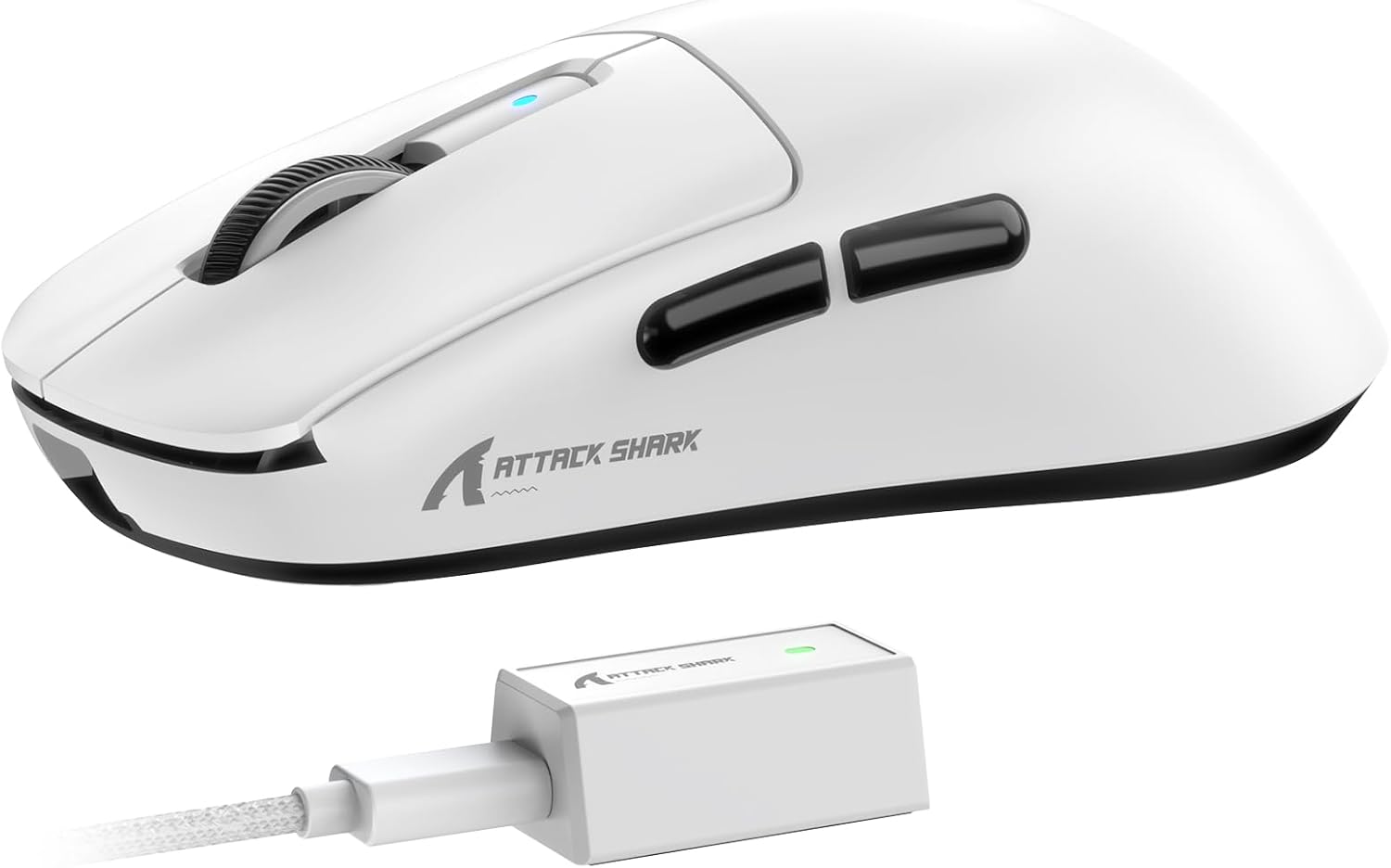 Image unavailable
$ 28.18 52.19
You save
Secure Checkout
Product description PRODUCT PARAMETER How to download and use the mouse driver? Please download the driver software: support.attackshark.com/attackshark/ATTACK_SHARK_R6/R6_14_49_53_Ver1.0.0.0.exe?v=4353980492 And we can set it directly on the web page without downloading: cn.attackshark.pro/WebDriven/index.html#/project/items How to download and use the mouse driver? Please download the driver software: support.attackshark.com/attackshark/ATTACK_SHARK_R6/R6_14_49_53_Ver1.0.0.0.exe?v=4353980492 And we can set it directly on the web page without downloading: cn.attackshark.pro/WebDriven/index.html#/project/items How to precisely adjust the DPI value? We can enter the required value under the DPI setting of the software and click the save button to apply it. Supporting minimum 50 DPI up to 42000 DPI step setting. We can also use the combination of shortcut keys introduced in the manual to adjust. How to precisely adjust the DPI value? We can enter the required value under the DPI setting of the software and click the save button to apply it. Supporting minimum 50 DPI up to 42000 DPI step setting. We can also use the combination of shortcut keys introduced in the manual to adjust. How to use Bluetooth connection? a) Toggle the switch on the back to Bluetooth. b) Long press the Bluetooth button for 3 seconds. c) Turn on the Bluetooth switch of the device, find the device named "R6 mouse", click to connect. Please check the manual for details. How to use Bluetooth connection? a) Toggle the switch on the back to Bluetooth. b) Long press the Bluetooth button for 3 seconds. c) Turn on the Bluetooth switch of the device, find the device named "R6 mouse", click to connect. Please check the manual for details. How to use 2.4G wireless connection or wired connection? 1) 2.4G connection Turn the switch on the back of the mouse to 2.4G, and plug the Mini receiver into the computer to use it. 2) Wired connection Adjust the switch to the middle position-insert the USB cable, which can be used directly and charge it. How to use 2.4G wireless connection or wired connection? 1) 2.4G connection Turn the switch on the back of the mouse to 2.4G, and plug the Mini receiver into the computer to use it. 2) Wired connection Adjust the switch to the middle position-insert the USB cable, which can be used directly and charge it. What's included in the product packaging? 1× R6 mouse 1× 2.4G receiver 1× USB-C cable 1× instruction manual 1× Grip tape What's included in the product packaging? 1× R6 mouse 1× 2.4G receiver 1× USB-C cable 1× instruction manual 1× Grip tape From the brand PEOPLE-PRIENTED CUSTOMER FIRST LexonElec adheres to the concept of "customer experience as the core" and "innovation". We are committed to continuously exploring customer needs; innovating according to customer needs. Use the latest technology to give customers the most advanced experience. M96 Gaming Keyboard - Gradient M96 Keyboard & CM05SE Mousepad CM05SE Mousepads X68PRO HE Keyboards R85 Keyboards X68 HE Keyboards M75 Keyboards M87V2 Keyboards R6 Gaming Mouse G3PRO Game mouse G300 Headsets 【38G ULTRALIGHT DESIGN】Built for fast-paced gaming, the R6 weighs just 39g ±3g, helping reduce wrist fatigue and making quick flicks, tracking and repeated movements feel more effortless. 【TRUE 8K WIRELESS PERFORMANCE】Experience up to 8,000Hz wireless polling with ATTACK SHARK Smart Speed Wireless technology and a dedicated 8K receiver, delivering fast data transmission and responsive control for competitive gaming. 【PAW3950 MAX SENSOR】Powered by the PixArt PAW3950 sensor with up to 42,000 DPI, 750 IPS tracking speed and 50G acceleration, giving you precise tracking and reliable cursor control when every movement matters. 【TRI-MODE CONNECTIVITY】Switch between 2.4G wireless, Bluetooth and wired USB-C connection to fit different gaming and everyday setups. Connect to multiple devices and switch modes without constantly re-pairing. 【6 PROGRAMMABLE BUTTONS & OPTICAL SWITCHES】Customize your controls for gaming, work and everyday use. High-performance optical switches and a lightweight ergonomic design deliver fast clicks while keeping the mouse comfortable during extended sessions.
Gaming Mice
Gaming Mice
Gaming Mice
Gaming Mice