
−46%

Joysticks
XD2-PA24 Joystick Controllers, Monolever Joystick Controllers, XD2PA24CR Spring Return Momentary Joy Stick, Momentary Joy Stick Switch Replacement
$ 8.36
$ 15.49
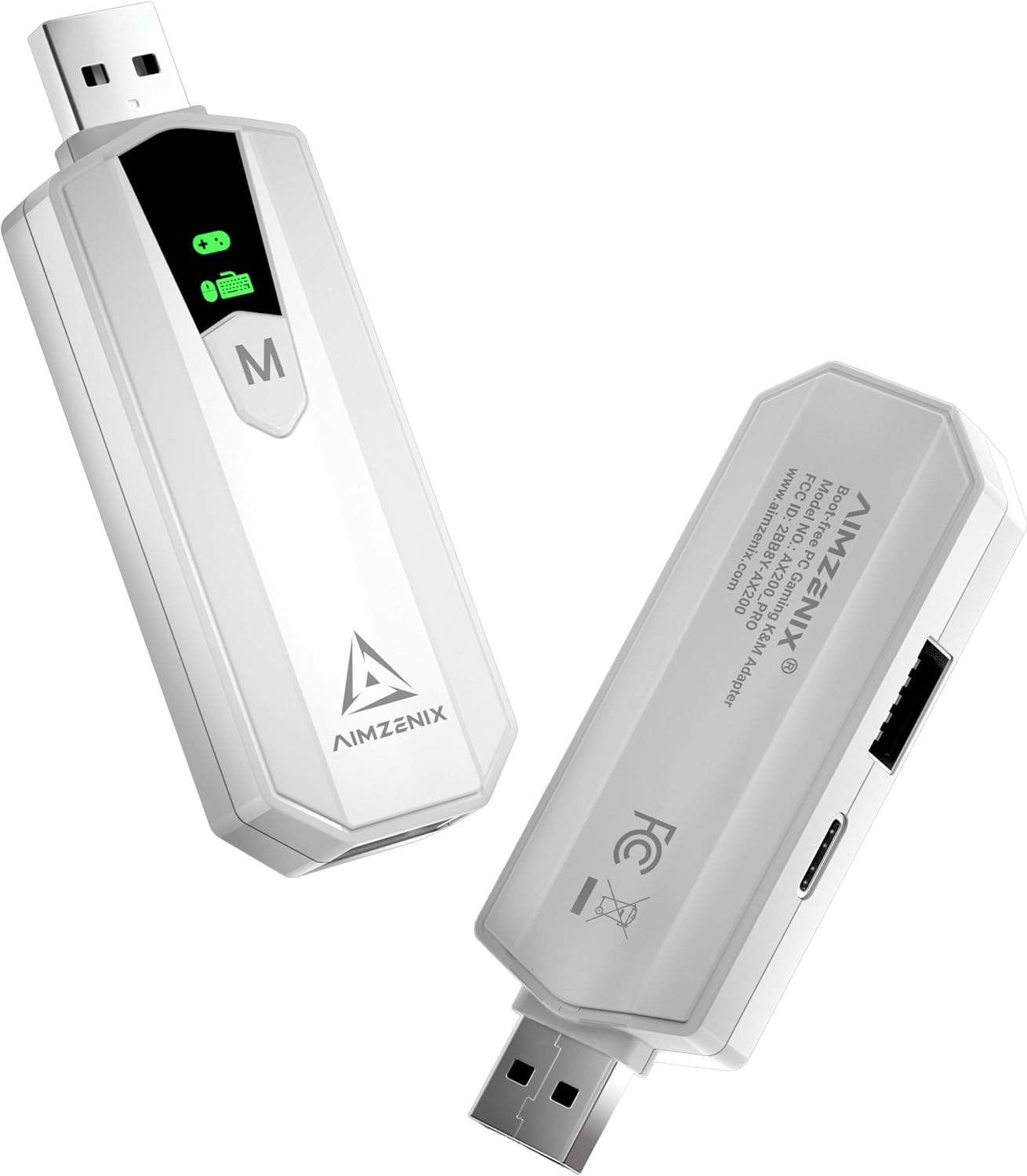 Image unavailable
$ 37.79 69.99
You save
Secure Checkout
Product description The AX200 PRO is a professional keyboard and mouse adapter for PC and N-Switch, offering gamers more control. "Flex Mapping" lets users customize key functions, while multi-scene switching allows use as a keyboard, mouse, or game controller as needed. Connect the keyboard and mouse via USB cable. Use the included extension cable to connect the AX200PRO USB male port to the PC. The indicator light will stay on to show successful startup. For high-power keyboard/mouse, connect to the TYPE-C port for extra power. Click above to view the tutorial video. The AX200 Pro features a 1000Hz rate and real-time response curves for precise control. It includes button macros and Smart Rocker functions with a graphical macro feature for easy customization. Adjustable response curves enhance realism. All settings are managed via the "GEEKVICE" app. The AX200 PRO supports four modes: Green for PC-Xbox, Red for N-Switch, Blue for PC-P4, and Orange for USB hub. Plug-and-play functionality ensures easy connection. Before use, confirm your keyboard and mouse are compatible. X360 driver installation is required for PC-Xbox mode. AIMZENIX Product Function Comparison AX200 PRO AX600 -MONSTER AX300 -STRIKER PRO AX200 The device doesn't respond after connection. What should I do? Check: 1. Ensure the device is properly connected to the USB port; 2. Replace the USB port if needed; 3. Verify your mouse/keyboard is compatible. The device doesn't respond after connection. What should I do? Check: 1. Ensure the device is properly connected to the USB port; 2. Replace the USB port if needed; 3. Verify your mouse/keyboard is compatible. My mouse or keyboard isn’t compatible. What should I do? For a detailed compatibility list, please message us through Amazon. Our support team will assist you promptly. My mouse or keyboard isn’t compatible. What should I do? For a detailed compatibility list, please message us through Amazon. Our support team will assist you promptly. Do I need to install a driver to use the device? The device is plug-and-play but requires an X360 driver on your PC. If not recognized, unplug and reconnect or restart the system. Watch the video tutorial on the product page for help. Do I need to install a driver to use the device? The device is plug-and-play but requires an X360 driver on your PC. If not recognized, unplug and reconnect or restart the system. Watch the video tutorial on the product page for help. How do I switch device modes? Long press the "M" mode switch button until the LED screen shows the desired mode. Refer to the manual or watch the video tutorial on the product page. How do I switch device modes? Long press the "M" mode switch button until the LED screen shows the desired mode. Refer to the manual or watch the video tutorial on the product page. How can I update the firmware? Download the "GEEKVICE" app (iOS/Android), connect the device, and follow the instructions in the “Firmware Update” section. How can I update the firmware? Download the "GEEKVICE" app (iOS/Android), connect the device, and follow the instructions in the “Firmware Update” section. From the brand AlMZENIX is a self-developed brand committed to providing the best gaming experience for users. Our team of passionate gaming enthusiasts and technical experts infuses endless creativity into every AlMZENIX product. We specialize in console game controllers and connectors, designed and tested to deliver exceptional performance and reliability. AIMZENIX Gaming Accessories AX200: PC-exclusive Adapter The AX200 is a keyboard and mouse adapter tailored specifically for PC, providing powerful features to enhance your gaming control. AX200: PC-exclusive Adapter The AX200 is a keyboard and mouse adapter tailored specifically for PC, providing powerful features to enhance your gaming control. MONSTER: Ultimate Converter The ultimate gaming adapter, supports PS5 console and provides a dedicated app for seamless customization. Ideal for avid gamers. MONSTER: Ultimate Converter The ultimate gaming adapter, supports PS5 console and provides a dedicated app for seamless customization. Ideal for avid gamers. PRELUDE: Universal Adapter A universal gaming adapter that supports app adjustment, compatible with PS4/XBOX/Switch. Perfect for across platforms. PRELUDE: Universal Adapter A universal gaming adapter that supports app adjustment, compatible with PS4/XBOX/Switch. Perfect for across platforms. BLADER: Entry-level Converter BLADER, an entry-level converter, ensures a simple, plug-and-play experience. It's reliable for basic gaming needs. BLADER: Entry-level Converter BLADER, an entry-level converter, ensures a simple, plug-and-play experience. It's reliable for basic gaming needs. Tailored for PC Gaming: The AX200 PRO is a high-performance keyboard mouse adapter designed specifically for PC gaming. It enhances FPS and TPS gameplay by improving aiming precision, reducing input lag, and streamlining complex actions, delivering unparalleled control and responsiveness for competitive gaming Unleash Your Gaming Potential: Packed with cutting-edge features like Smart Rocker, Button Macro, Snap Tap, and 360° Turn Around Assist. These features provide greater precision and control, empowering you to dominate every game with ease Smart App Customization: Unlock more advanced features through the dedicated app, including diverse configuration editing, sensitivity curve adjustments, and cloud-based profile sharing. Share and explore custom setups with the gaming community—unleash your creativity Effortless Switch: From controller to HUB mode, one-touch switching ensures seamless transitions between gaming and productivity. The dedicated "M" button lets you toggle modes instantly, adapting effortlessly to your needs without the hassle of reconfiguring hardware Simplicity Meets Versatility: Featuring a minimalist design with just four ports, the AX200PRO eliminates the hassle of complex connections. Supporting four versatile modes, its built-in LED status screen offers an intuitive way to monitor your device at a glance Important Reminder: The AX200PRO will be recognized as an X360 controller on PC, so the X360 controller driver must be installed on the computer for proper functionality. For any issues or assistance, feel free to contact us anytime
Joysticks
Racing Wheels
Joysticks
Racing Wheels