
 Image unavailable
ELEPHAS Roku TV Smart Projector with Wi-Fi and Bluetooth
$ 50.39 89.99
You save
Secure Checkout
Product details
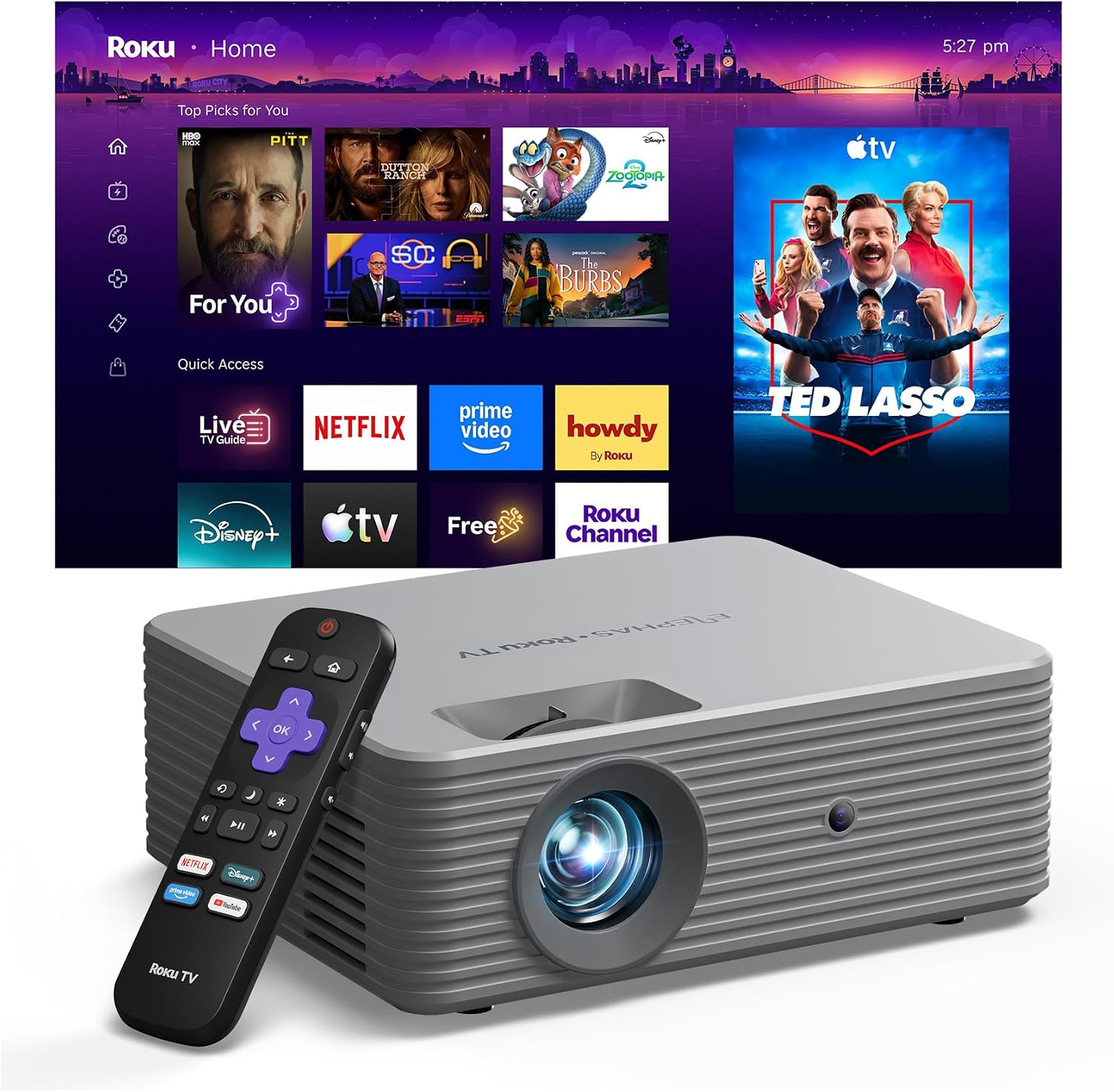
From the brand ELEPHAS Roku Projector H211 Enjoy seamless Roku streaming with App voice command, Dolby Audio and crystal‑clear big screen. Smart Home Compatible Visit the Store Smart Home Compatible Visit the Store Built-in Roku Experience Product description -0:00 Hands-Free Voice Control Control Roku projector via Alexa voice commands Simply say “Alexa” followed by your desired command for a seamless, hands-free experience. You can manage media playback by asking Alexa to pause, fast forward, rewind, launch apps like Prime Video, or return to the home screen on your Roku device.You can also search for entertainment, such as finding documentaries or comedies.In addition, you can control your Roku TV system: power it on, adjust or mute volume, switch to a specific channel, or change to an HDMI input. Hands-Free Voice Control Control Roku projector via Alexa voice commands Simply say “Alexa” followed by your desired command for a seamless, hands-free experience. You can manage media playback by asking Alexa to pause, fast forward, rewind, launch apps like Prime Video, or return to the home screen on your Roku device. You can also search for entertainment, such as finding documentaries or comedies. In addition, you can control your Roku TV system: power it on, adjust or mute volume, switch to a specific channel, or change to an HDMI input. -0:00 Alexa Pairing Guide for Roku Projector Open the Alexa app and go to the Menu, then select Settings.Choose TV & Video, find Roku, and tap Enable to begin.Sign in to your Roku account in the browser, accept permissions, and return to the app.Select your Roku devices and confirm LINK DEVICES to finish setup. Alexa Pairing Guide for Roku Projector Open the Alexa app and go to the Menu, then select Settings. Choose TV & Video, find Roku, and tap Enable to begin. Sign in to your Roku account in the browser, accept permissions, and return to the app. Select your Roku devices and confirm LINK DEVICES to finish setup. -0:00 No more keyboard typing! Roku App Voice Control Search for entertainment. No more keyboard typing! Roku Voice Feature for Precise Playback Control Ask anything about the movie, get instant answers Set sleep timer hands-free for lazy nights No more keyboard typing! Roku App Voice Control Search for entertainment. No more keyboard typing! Roku Voice Feature for Precise Playback Control Ask anything about the movie, get instant answers Set sleep timer hands-free for lazy nights 【Quick setup with Roku】Connect to the internet, sign in to your free Roku account, and start streaming in minutes. With a simple-to-navigate Home Screen and easy search, Roku makes it easier to watch the TV you love. 【Built-in Roku experience】TV, simplified. Stream on all the top apps in one place and enjoy 500+ free TV channels with live news, sports, weather, and more—no external streaming device required. 【Smart home compatible】Enjoy easy voice control with Siri, Alexa, or Google Assistant using compatible devices. Launch apps, search for entertainment, adjust volume, and control playback with your voice. 【Apple AirPlay】Effortlessly share videos, photos, music, and more from your iPhone, iPad, or Mac to the big screen. Some content may not support screen mirroring due to content protection. 【Dolby Audio and clear picture】Enjoy immersive sound with Dolby Audio, plus manual focus and keystone correction for a clear image from 40" to 150". 【Projector with Wi-Fi and Bluetooth】Dual-band Wi-Fi (2.4G/5G) offers faster, more stable, low-latency links for smooth streaming & gaming. Bluetooth 5.2 enables easy pairing with speakers, headphones & audio devices for immersive sound 【Portable Mini Projector for iPhone】Compact and lightweight, this Roku projector is ideal for bedrooms, patios, bathrooms and backyards. Easy to carry anywhere, it turns any wall into a big-screen entertainment experience in seconds 【Roku Remote & App Control】Includes a Roku remote with smooth, streamlined design and clearly labeled buttons for easy, intuitive use. Also supports the Roku mobile app, allowing you to control the projector from your smartphone anytime—so you never worry about losing the remote