
−46%
Gamepads & Standard Controllers
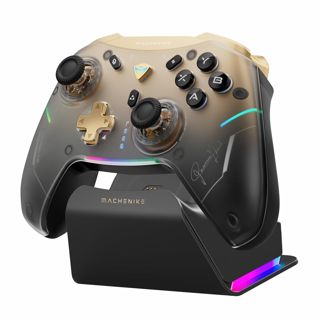
Machenike G5Pro Max Wireless Controller, 1000Hz, RGB, Charging Dock
$ 40.49
$ 74.99
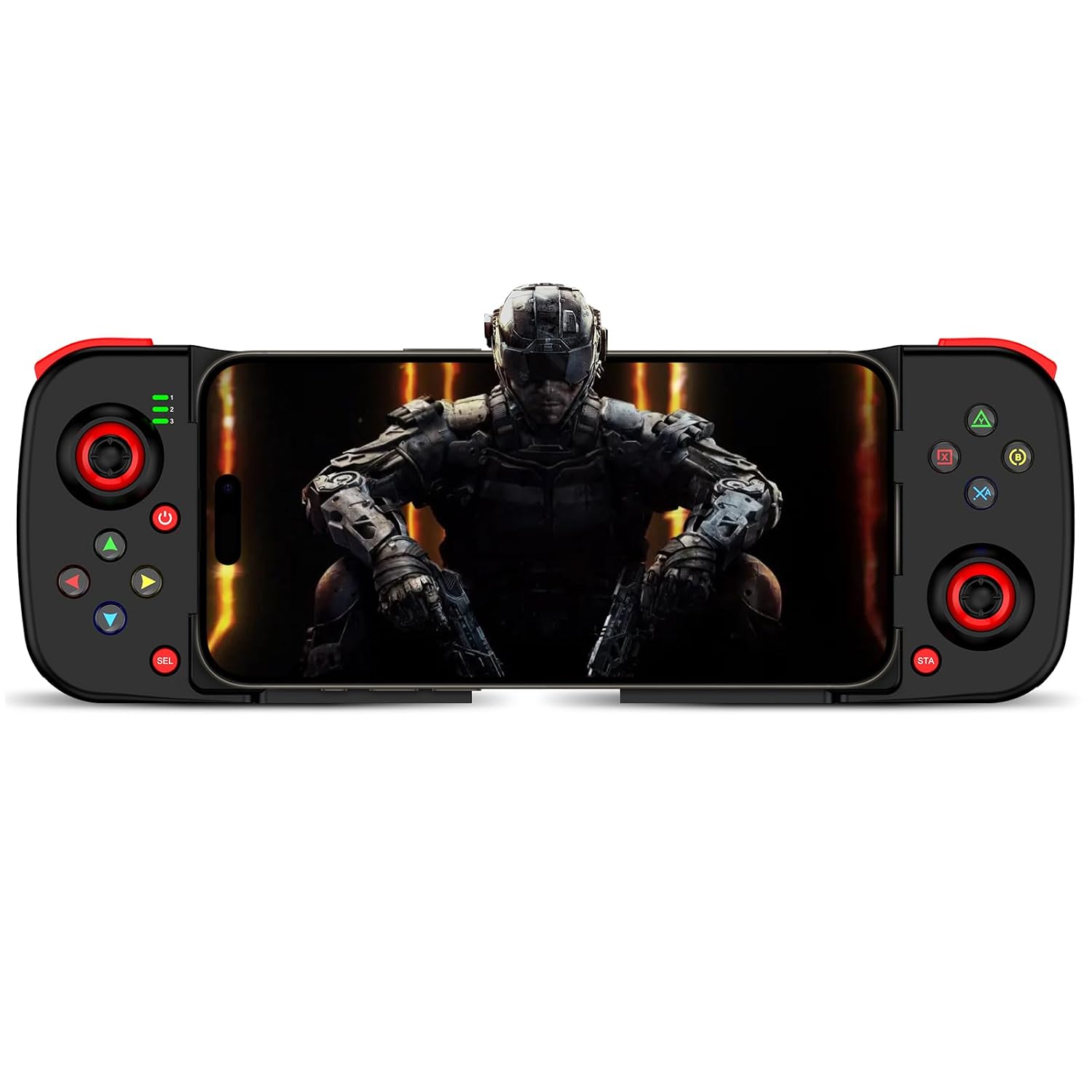 Image unavailable
$ 13.82 25.59
You save
Secure Checkout
Product description Joso Phone Controller for iPhone, Android with Cloud Gaming Support Multi-platform compatible: Compatible for iOS, Android, PC, Cloud, Streaming, and Mobile Gaming For iOS 13.4 and higher: Compatible with iPhone 16, iPhone 16 Plus, iPhone 16 Pro, iPhone 16 Pro Max, iPhone 15, iPhone 15 Plus, iPhone 15 Pro, iPhone 15 Pro Max, iPhone 14, iPhone 14 Plus, iPhone 14Pro, iPhone 14 Pro Max, iPhone 13 mini, iPhone 13, iPhone 13 Pro, iPhone 13 Pro Max, iPhone 12, 12 Pro, 12 Pro Max, X, XR, XS, XS Max, 11 Pro, 11 Pro Max, 11, 7, 7Plus, 8, 8Plus, etc.. (Not support Apple TV&iPod, Fire TV/TV Box.) For Android 6.0 and higher: Compatible with Samsung Galaxy S24 Series, Galaxy S23 Series, Galaxy S22 Series, Galaxy S21 Series, and more Galaxy Series; For X-iaomi, m-oto, Pixel 9/8/7/6 Series, TCL, oppo, vivo, and more Android phones. Play Controller Supported Games: The mobile gaming controller supports games from the App Store/Play Store such as COD Mobile, Warzone Mobile, Genshin Impact (works with iPhone only), stream through cloud gaming services such as Game Pass, or play games with Remote Play from your PS5/PS5, Xbox or PC. Custom programming function: The phone controller with 2 buttons allow to do key mapping, set Turbo mode, or even edit Macro, helping gamers achieve advanced game techniques. Support Phone Case: Supported length of devices is between 5.0 - 6.9 inches. ( The controller's telescopic holder can support up to 6.9 inches, so it does not support the iPad on the controller) Joso Wireless Controller Connection Guideline -0:00 Mobile Controller for iPhone Tips for Boot the iOS Controller: Please fully charge the controller before first use; Make sure the controller is off before Bluetooth pairing connection;Select the corresponding controller boot mode: Hold down the function key (e.g. 'RB'), then press the 'HOME' button to boot the controller. Mobile Controller for iPhone Tips for Boot the iOS Controller: Please fully charge the controller before first use; Make sure the controller is off before Bluetooth pairing connection; Select the corresponding controller boot mode: Hold down the function key (e.g. 'RB'), then press the 'HOME' button to boot the controller. -0:00 Controller for Android Tips for Boot the Android Game Controller: Please fully charge the controller before first use;Make sure the controller is off before Bluetooth pairing connection;Select the corresponding controller boot mode: Hold down the function key (e.g. 'RB'), then press the 'HOME' button to boot the controller. Controller for Android Tips for Boot the Android Game Controller: PC Wireless Controller The gaming PC needs to come with Bluetooth capability. Hold down the 'RB' key, then press the 'HOME' key to boot the controller.Turn on the Bluetooth connection 'Xbox Wireless Controller' on your PC.Start Playing. PC Wireless Controller The gaming PC needs to come with Bluetooth capability. Hold down the 'RB' key, then press the 'HOME' key to boot the controller. Turn on the Bluetooth connection 'Xbox Wireless Controller' on your PC. Start Playing. More Controller Colors for Gamers Joso Mobile Gaming Controller Joso Simhon 01 Joso 6321 Joso N01 Joso D6 Joso D8 Joso 6109 (RGB Edition) Joso Z01 From the brand iPad Game Controller Visit the Store iPad Game Controller Visit the Store Bluetooth Controller Visit the Store Bluetooth Controller USB C Phone Controller Visit the Store USB C Phone Controller RGB Controller Visit the Store RGB Controller Universal Compatibility: The phone gaming controller works seamlessly with iPhone & Android phones, including iOS 15+/Android 10+; Completely suitable for the full range of iPhone 16/15/14/13 and so on; Bluetooth controller for android is compatible with Galaxy S series, Galaxy A series & more Android smartphones Multi-Platform Support: Optimized for cloud gaming (X-box Cloud, GeForce NOW), PS remote play, emulator games On-the-fly Mappings: Configured 2 extra back buttons (M1/M2) for instant mapping combined functions; Mappable buttons: A/B/X/Y/RB/RT/LB/LT/L3/R3/D-Pad Ergonomic Design: Non-slip grips & tactile buttons for extended gaming sessions without fatigue; Lightweight and portable for on-the-go use Stable Wireless Connection: This game controller adopts Bluetooth 5.0 connection technology, stable connection, low latency, suitable for competitive games such as cod mobile, warzong mobile, fortnite (work with remote play), etc. Package Includes: Mobile controller, USB-C charging cable, and user manual (The wireless controller does not support charging smartphone directly)
Gamepads & Standard Controllers
Gamepads & Standard Controllers
Gamepads & Standard Controllers
Gamepads & Standard Controllers