
−46%
Micro SD Cards
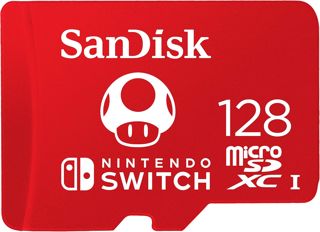
SANDISK 128GB microSD Card, Super Mario Super Mushroom Edition
$ 21.59
$ 39.99
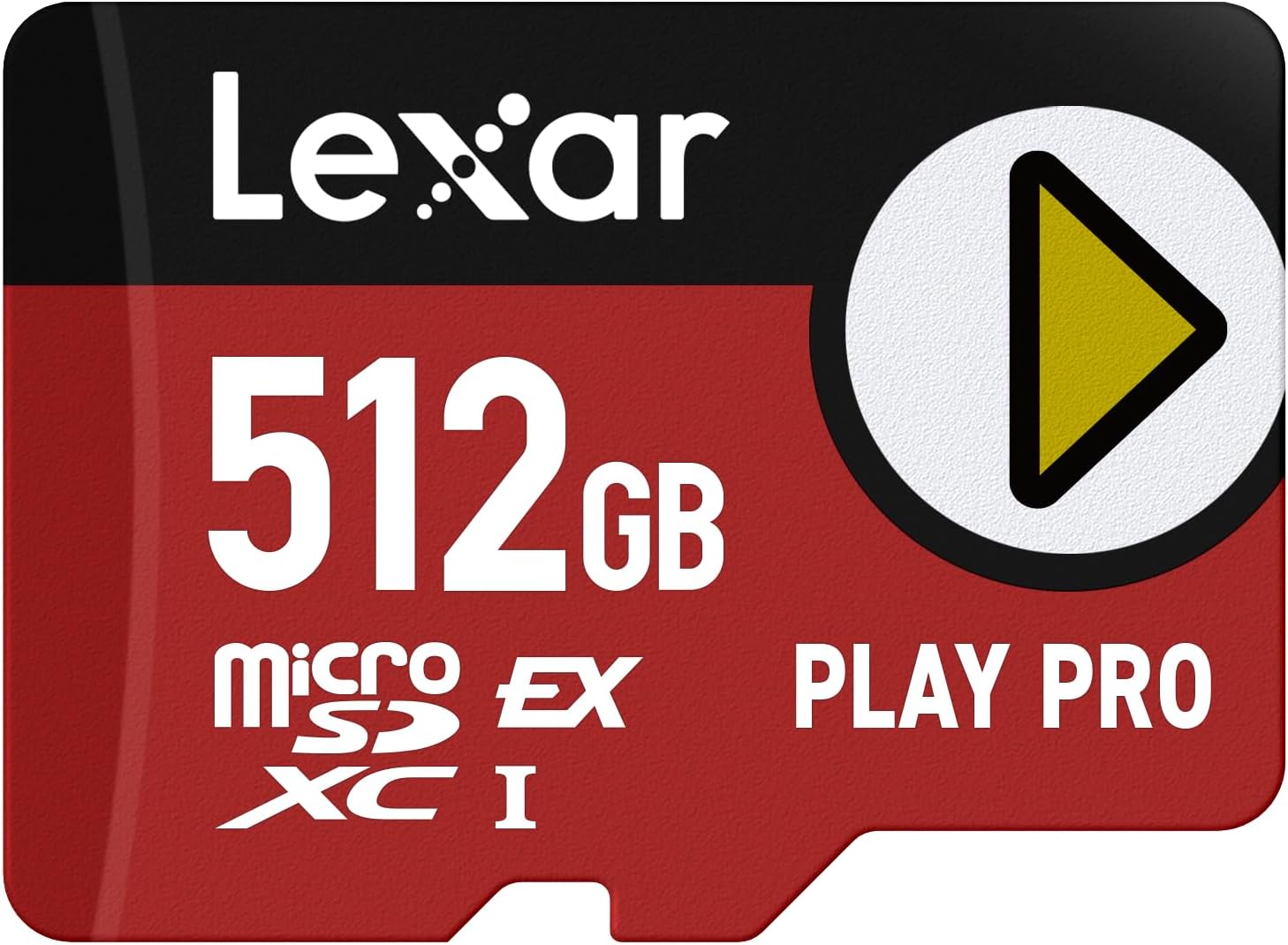 Image unavailable
$ 73.58 182.23
You save
Secure Checkout
From the brand From the manufacturer Why does the Nintendo Switch 2 not recognize my microSD Express card when first powered on? Turn the console off/on and reinsert the card. Ensure your system has firmware 20.1.1 or later (update if needed). Check the card and slot for dirt and confirm it's a microSD Express card. If the issue persists, try formatting the card on a computer. Why does the Nintendo Switch 2 not recognize my microSD Express card when first powered on? Turn the console off/on and reinsert the card. Ensure your system has firmware 20.1.1 or later (update if needed). Check the card and slot for dirt and confirm it's a microSD Express card. If the issue persists, try formatting the card on a computer. What should I do if my PLAY PRO microSD Express card has issues with Nintendo Switch 2? PLAY PRO has completed Nintendo Switch 2 compatibility testing. If your card is not recognized or you experienced other issues, please contact Lexar Technical Support. Our team will help troubleshoot and provide further assistance. What should I do if my PLAY PRO microSD Express card has issues with Nintendo Switch 2? PLAY PRO has completed Nintendo Switch 2 compatibility testing. If your card is not recognized or you experienced other issues, please contact Lexar Technical Support. Our team will help troubleshoot and provide further assistance. How can I move data and games from the Nintendo Switch 2 system memory to a microSD card? From the Home Menu, select System Settings. Scroll down and select Data Management. Select Move Data Between System/microSD Express card. Choose the software or data you want to move and select Move to microSD Express card. Confirm the action. How can I move data and games from the Nintendo Switch 2 system memory to a microSD card? From the Home Menu, select System Settings. Scroll down and select Data Management. Select Move Data Between System/microSD Express card. Choose the software or data you want to move and select Move to microSD Express card. Confirm the action. Why is my microSD Express card not showing its full capacity? Flash products' capcity is often calculated using a binary algorithm, so there is a difference between usable and listed capacity. Also some capacity is used for formatting and other functions, so you can't use capacity allocated to these functions. Why is my microSD Express card not showing its full capacity? Flash products' capcity is often calculated using a binary algorithm, so there is a difference between usable and listed capacity. Also some capacity is used for formatting and other functions, so you can't use capacity allocated to these functions. Why is the download speed slower than advertised? Slow download speeds may be the result of: • Slow internet from the ISP • Slow or unresponsive networking equipment • Wireless interference or a weak wireless signal • Multiple devices on the same network using a lot of bandwidth Why is the download speed slower than advertised? Slow download speeds may be the result of: • Slow internet from the ISP • Slow or unresponsive networking equipment • Wireless interference or a weak wireless signal • Multiple devices on the same network using a lot of bandwidth Legal disclaimers (1) Speeds based on internal testing. Actual performance may vary. Maximum speeds reached only when used with a microSD Express host device. (2) Temperature resistance: Operation -25°C to 85°C, Storage -40°C to 85°C. Waterproof: IPX7, 1m deep water for 30min. X-ray protection: up to 100mGy (equivalent to airport X-ray machine exposure). Anti-vibration: 10-2000Hz. Anti-magnetic: 15000Gauss. Shock resistance: 1500G shock. Drop protection: 1.5m drop. Wear out resistance: up to 10,000 times of plugging and unplugging. Actual usable memory capacity may vary. 1GB equals 1 billion bytes. (c) 2025 All Rights Reserved. Information, products, specifications, and features are subject to change without notice. Neither Lexar nor Longsys is responsible for omissions or errors in typography or photography. Lexar, the Lexar logo, and all other Lexar trademarks are the property of Longsys Electronics (HK) Co., Ltd. or Shenzhen Longsys Electronics Co., Ltd. All other trademarks are property of their respective owners. Gear up for Nintendo Switch 2 gaming with next-gen speed. Read speeds up to 900MB/s and write speeds up to 600MB/s cut load times and download waits, so you get to playing faster. Up to 1TB of storage means room for your full AAA library — no swapping cards, no uninstalling. It's backwards-compatible with the original Nintendo Switch and comes backed by a limited lifetime warranty and includes free lifetime access to the Lexar Recovery Tool. ONE CARD FOR NINTENDO SWITCH 2 AND NINTENDO SWITCH: Upgrade your Nintendo Switch 2 without leaving your original Nintendo Switch behind. Get microSD Express performance on Switch 2 and backward-compatibility with the original Switch. GET INTO YOUR GAMES FASTER: PCIe-powered microSD Express technology delivers read speeds up to 900MB/s — 4x faster than typical UHS-I cards — so games load faster and get you into the action sooner. DOWNLOAD YOUR LIBRARY FASTER: Write speeds up to 600MB/s (with the Lexar microSD Express card reader) mean less time waiting on downloads and more time playing. UP TO 1TB OF ROOM FOR YOUR GAMES: Available in 256GB, 512GB, and 1TB, so more of your game library stays installed and ready — no swapping cards or uninstalling to make space. BUILT FOR GAMING ON THE GO: Rated IPX7 waterproof and resistant to shock, vibration, extreme temperatures, and X-ray, so it holds up to life outside the console — bags, car rides, and everywhere handheld gaming goes. BACKED FOR THE LONG HAUL: Limited lifetime warranty plus free lifetime access to the Lexar Recovery Tool, so accidentally deleted files and game saves are recoverable, not gone for good. TESTED FOR PERFORMANCE AND RELIABILITY: Rigorously tested in the Lexar Quality Lab, including compatibility testing with Nintendo Switch 2, to help ensure the performance and reliability you expect.
Micro SD Cards
Micro SD Cards
Micro SD Cards
Micro SD Cards