
−46%
Enclosures
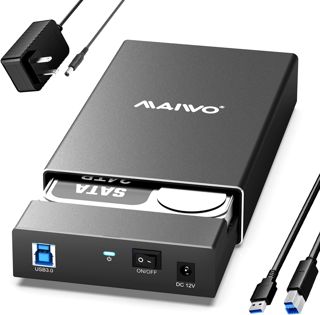
MAIWO 2.5''/3.5'' Hard Drive Enclosure for SATA HDD/SSD with ON/Off Switch
$ 10.25
$ 18.99
 Image unavailable
$ 35.63 65.99
You save
Secure Checkout
Product description Why can't it write in Mac OS? But it can read and write normally under Windows. Please confirm the format of your M.2 SSD. And Mac OS has to install NTFS reading software to read M.2 SSDs in NTFS format. Why can't it write in Mac OS? But it can read and write normally under Windows. Please confirm the format of your M.2 SSD. And Mac OS has to install NTFS reading software to read M.2 SSDs in NTFS format. After installing SSD, the computer is not read by the enclosure? Since SSD is brand new, you should formatting it into Exfat or NTFS format before use. After installing SSD, the computer is not read by the enclosure? Since SSD is brand new, you should formatting it into Exfat or NTFS format before use. Why is the speed not as fast as advertised? Product operating speed depends on laptop, M.2 SSD and USB port type. In order to obtain the fastest read and write speed, you should use the SSD corresponding to the properties of the hard disk box, the interface and the data cable. Why is the speed not as fast as advertised? Product operating speed depends on laptop, M.2 SSD and USB port type. In order to obtain the fastest read and write speed, you should use the SSD corresponding to the properties of the hard disk box, the interface and the data cable. Why only 32Gbps/22Gbps is used for data transmission on Thunderbolt 4 /Thunderbolt 3 port? Of the 40Gbps bandwidth of Thunderbolt 3/4, only 32Gbps(Thunderbolt 4)/ only 22Gbps(Thunderbolt 3) is used for data transmission and 8Gbps(Thunderbolt 4)/18Gbps (Thunderbolt 3) is reserved for DP signal. Why only 32Gbps/22Gbps is used for data transmission on Thunderbolt 4 /Thunderbolt 3 port? Of the 40Gbps bandwidth of Thunderbolt 3/4, only 32Gbps(Thunderbolt 4)/ only 22Gbps(Thunderbolt 3) is used for data transmission and 8Gbps(Thunderbolt 4)/18Gbps (Thunderbolt 3) is reserved for DP signal. 【40Gbps Breakneck Speed】The transfer speed of this NVMe Enclosure is up to 40Gbps. After installing NVMe SSD, the read and write speed can reach 3100MB/s. Transfer large 3G files within 1 second, faster than most internal drives. It is also compatible with Thunderbolt3/4, USB3.2/3.1/3.0 interfaces (Please be sure to use USB4.0 interface or Thunderbolt3/4 interface to achieve 40Gbps.) 【Multiple Heat Dissipation】Built-in silent fan for active cooling, with striped aluminum and silicone cooling pads, the multi-cooling combination cools the M.2 SSD to a safe temperature, avoiding overheating and lower speed, thus improving the performance of the SSD 【Wide Compatibility】Tool-free installation, The m.2 NVMe SSD enclosure supports M-Key 2230/2242/2260/2280 NVMe SSDs up to 4TB and is compatible with Mac, Windows, and Linux systems. Plug and play, no drivers required 【2-in-1 Cable】The included USB cable has 2 output ports, USB C to A (10Gbps) and USB C to C (40Gbps), free to connect computers, mobile phones, game consoles, tablets and other devices . The wire is 30cm long, has an aluminum alloy interface, and supports PD100W fast charging 【Transparent & Tool-free Design 】Transparent shell design, unique and fashionable. Tool-free installation. Plug in and go. Quickly install and remove SSDs without tools. Work directly with devices without driver installation
Enclosures
Enclosures
Enclosures
Enclosures