
−73%
Racing Wheels
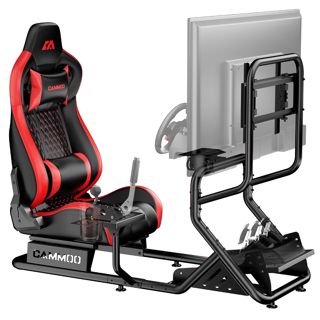
CAMMOO High Compatible Sim Racing Cockpit with Monitor Mount Fits Handbrake
$ 84.90
$ 314.99
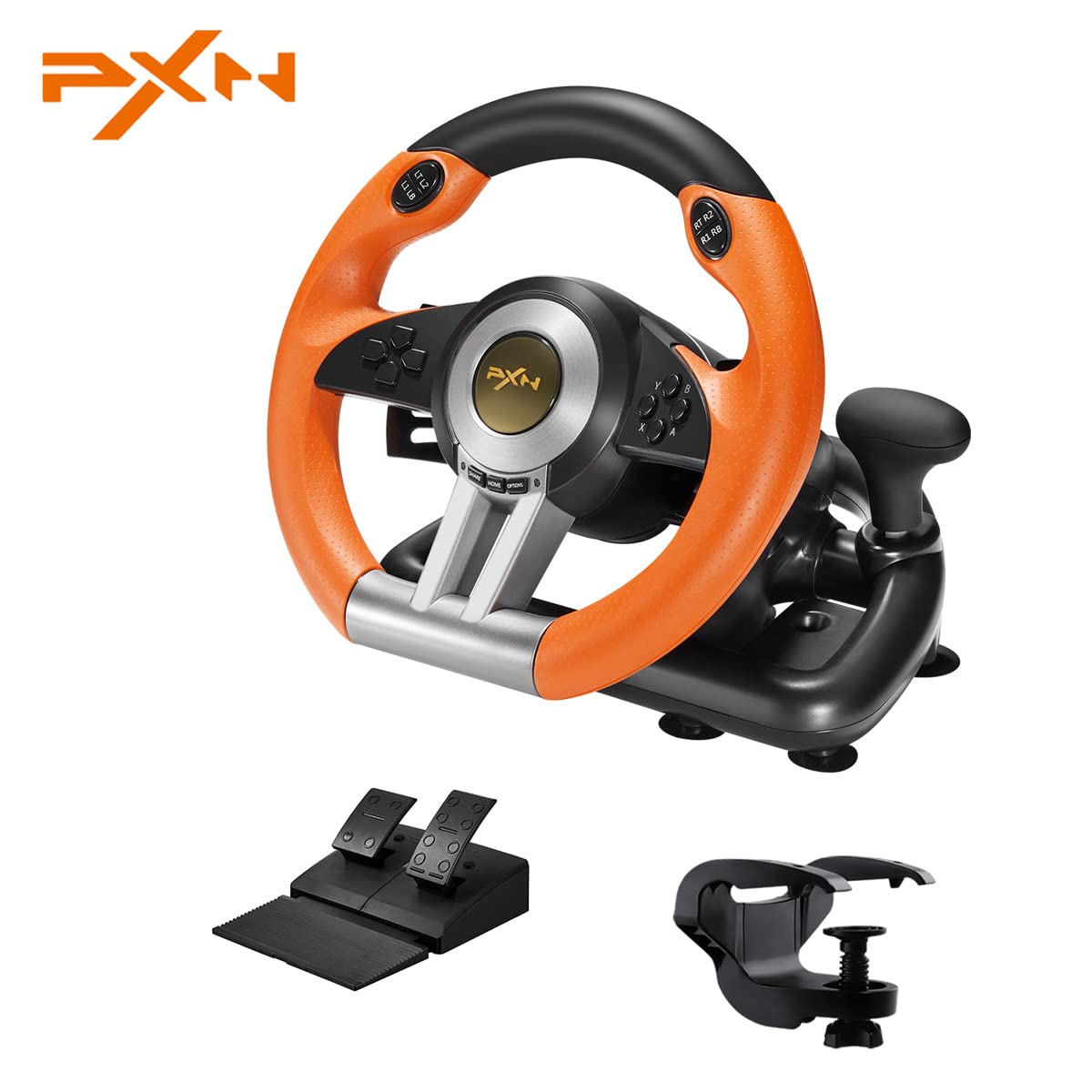 Image unavailable
$ 95.26 103.99
You save
Secure Checkout
Product description Features: 1: Compatible with PC, PS3, PS4, X-box One, X-box Series X|S, and Switch; 2: Built-in dual vibration motor to bring you a more realistic racing experience; 3: Imitation racing wheel ergonomics design,180° linear steering wheel, hand-held anti-slip wave design; 4: Linear pedals,support automatic battery life,experience more sensitive and precise braking effects; 5: Auto-calibration function (driver installation is required); 6: Plug-and-play PC steering wheel via X-input and D-input on PC; 7: Strong suction cups and a U-shaped fixed bracket make the game wheel easy to fix on the table; 8: Super-running left and right shift paddles and manual shift lever design. Specifications: ● Game Accessories Type: Gaming Steering Wheel; ● Interface type: USB(Handle guide interface); ● Connection method: USB wired connection(6.56 ft); ● Applicable system: Windows XP/ 7/ 8/ 10/ 11; ● Key support: Programmable buttons; ● Vibration function: Support dual-motor vibration; ● Steering angle: Steering angle 180º. Package Includes: 1 x Steering wheel 1 x Foot pedal set 1 x U-fixed bracket 1 x User Manual features For PS4, PS3 Step 1: Power OFF the original PS4 controller. Step 2: Use a Micro USB cable to connect PS4 original controller with guidance port of the steering wheel. Step 3: Plug the USB interface of steering wheel into PS4. Step 4: Press "HOME" button on steering wheel, red mode displays ON when connected successfully . Note: You need to pair with the original PS4 wired controller to boot. If it is not the original controller, they will not be able to connect successfully. For Switch Step 1: Please connect the Type-C OTG with the USB interface of the steering wheel.( Note: Type-C OTG Adapter is not included ). Step 2: Then plug the Type-C interface into the Switch console. Step 3: Red mode indicator displays ON when connected successfully. For X-box One/ X-box Series X|S Step 1: Power OFF the original controller of X-box One/ X-box Series X|S. Step 2: Use a Micro USB cable to connect X-box One/ X-box Series X|S original controller and the guidance port in the steering wheel. Step 3: Plug the USB cable of steering wheel into X-box One/ X-box Series X|S. Step 4: Press 'HOME' button on steering wheel, red indicator will remain ON when connection is successful. Note: You need to pair with the original X-box controller to boot. If it is not the original controller, they will not be able to connect successfully. From the brand PXN Racing Wheel & Controller Support various types of games for plays of different ages, PXN Racing Wheel & Controller will bring you a satisfying gaming experience PXN was born in 2004 for game accessories. PXN has been focusing on the development and production of game peripheral products and has accumulated numerous software and hardware technologies and patents. PXN has a professional R&D and production team, each product strictly conforms to applicable international standards. high compatibility and high quality are the product characteristics of PXN. Your satisfaction is our driving force. PXN was born in 2004 for game accessories. PXN has been focusing on the development and production of game peripheral products and has accumulated numerous software and hardware technologies and patents. PXN has a professional R&D and production team, each product strictly conforms to applicable international standards. high compatibility and high quality are the product characteristics of PXN. Your satisfaction is our driving force. After-sales support 12-month warrantyHassle-free replace/refund7*24 h support After-sales support 12-month warranty Hassle-free replace/refund 7*24 h support PXN V99 Gaming Racing Wheel PXN V99 Driving Force Feedback Wheel, Stainless Steel Shift Paddles With 6+1 Shifter and Pedals. PXN V99 Gaming Racing Wheel PXN V99 Driving Force Feedback Wheel, Stainless Steel Shift Paddles With 6+1 Shifter and Pedals. PXN Game Accessories Visit the Store PXN Game Accessories Visit the Store V10Ultra Direct Drive Wheel PXN V10Ultra Direct Drive Gaming Steering Wheel, with 3.2Nm Real Force Feedback, Adjustable Throttle&Brake Pedals, 4 Paddle Shifters V10Ultra Direct Drive Wheel PXN V10Ultra Direct Drive Gaming Steering Wheel, with 3.2Nm Real Force Feedback, Adjustable Throttle&Brake Pedals, 4 Paddle Shifters PXN V9GEN2 Gaming Racing Wheel 270/900 ° Car Simulation Driving, With 3 Pedals and Shifters Gaming Steering Wheel PXN V9GEN2 Gaming Racing Wheel 270/900 ° Car Simulation Driving, With 3 Pedals and Shifters Gaming Steering Wheel PXN V9 Xbox Steering Wheel 270/900 ° Car Simulation Driving, With 3 Pedals and Shifters Gaming Steering Wheel PXN V9 Xbox Steering Wheel PXN V3III PC Racing Wheel 180° PC Gaming Racing Wheel Driving Wheel, with Linear Pedals and Racing Paddles PXN V3III PC Racing Wheel 180° PC Gaming Racing Wheel Driving Wheel, with Linear Pedals and Racing Paddles PXN A10 PC Racing Wheel Stand Simulator Cockpit Wheel Stand Racing Steering Shifter Mount fit PXN A10 PC Racing Wheel Stand Simulator Cockpit Wheel Stand Racing Steering Shifter Mount fit PXN Farm Simulation Controller CB1 Sim Racing Button Box for Sim Wheel and Racing Wheel PXN Farm Simulation Controller CB1 Sim Racing Button Box for Sim Wheel and Racing Wheel 【PLAY MULTI-PLATFORM GAME】: This game steering wheel is compatible with PC, PS3, PS4, Xbox One, Xbox Series X|S, and Switch, and can match Windows 7/ 8/ 10/ 11. 【MORE RACING GAME】: racing wheels take you to experience the thrill of driving a heavy truck, and use simulation software to learn driving practice to realize the driver’s dream; Experience Dust Removal Series, GT Racing Series, Real Racing Series, World Rally Championship, F1, Unlimited Driving, European Truck Simulation, and other racing series. 【PC DUAL ANALOG STEERING WHEEL】: PC dual-mode drive racing, support X-input/ D-input mode, the pc steering wheel is X-input by default on PC, long press "HOME" for 3 seconds to switch to D-input; steering wheel with 180° rotation, with linear foot pedals, with rubber texture coating wheel, equipped with sports car-style paddles, manual gear shifting, imitating the ergonomic design of racing wheels. 【HIGH-QUALITY STRUCTURE】: PXN gaming wheel is made of non-slip ABS matte non-slip material, with real double vibration motors, 7 powerful suction cups and a U-fixed bracket, Can be fixed to most desktops, which can simulate a more comfortable and long-lasting game experience according to different scenarios. 【GUARANTEE】
Racing Wheels
Racing Wheels
Racing Wheels
Racing Wheels