
−46%
Enclosures
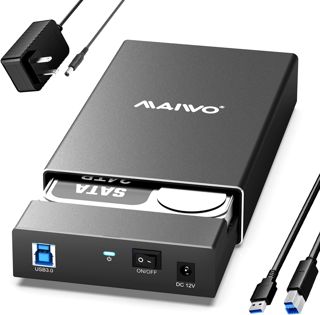
MAIWO 2.5''/3.5'' Hard Drive Enclosure for SATA HDD/SSD with ON/Off Switch
$ 10.25
$ 18.99
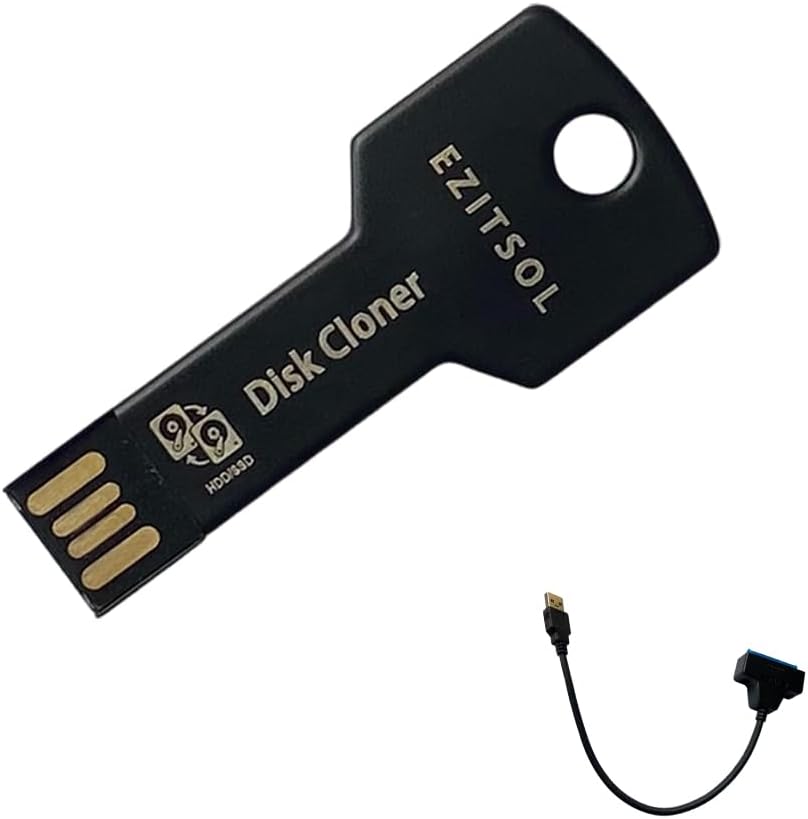 Image unavailable
$ 19.97 36.99
You save
Secure Checkout
Product description EZITSOL All-in-One Disk Cloning Kit - Clone or Upgrade Your Disk without OS Reinstall Clone your existing drive quickly and easily with the EZITSOL All-in-One Disk Cloning Kit. No need to reinstall your operating system — perfect for home users and IT pros alike. Bootable USB key with built-in cloning software USB 3.0 to SATA cable (for 2.5" SATA HDD/SSD) Printed Quick Start Guide 12V/2A 5.5×2.1mm Power adapter required for 3.5" HDDs (not included) Clone Your Drive in 3 Simple Steps Plug in the USB key & boot your PC from it Connect the target drive with the USB-to-SATA cable Launch the clone program and start cloning Compatibility & System Requirements Compatible with: Intel or AMD-based 64-bit PCs and servers Windows and Linux file systems Local Basic Drives ( suitable for most home users) 2.5" SATA HDDs/SSDs 3.5" SATA HDDs(need extra power adapter, not included) Not Compatible With: ARM-based PCs (e.g., some tablets & Chromebooks) RAID, LVM, or dynamic disks macOS file systems Legacy IDE drives or M.2 (NGFF/NVMe) SSDs Why Choose EZITSOL’s Cloning Kit? Key Benefits Run outside OS and boot pc from USB key Offline Cloning – safer and more reliable than in-OS cloning Easy System Migrations & Upgrades Ideal for full system disk cloning No OS Reinstall Required Designed for Home Users & IT Pros Bootable USB, No App Installation Tech Notes & Important Info Cloning from internal disk requires 2 USB ports (USB key + SATA cable) Cloning between two external drives requires 3 USB ports and an extra adapter (not included) Can only clone to a smaller disk if the data used is less than the target drive's capacity All-in-One Disk Cloning Kit - Includes printed user guide, EZITSOL bootable USB key with built-in disk cloning software, and USB3.0-to-SATA cable for 2.5" SATA HDDs/SSDs (powered by USB). 3.5" drives need a 12V/2A 5.5×2.1mm adapter (not included). This kit is ideal for users who are a moderately tech-savvy. Easy Disk Cloning - Easily clone your PC's internal drive to a larger SSD/HDD without reinstalling Windows or Linux. Perfect for drive upgrades and system migrations. Cloning between two external drives is also supported, but requires an additional drive adapter (not included). USB Boot Required - This is an offline cloning tool. You must boot your PC from the included USB key, then connect the target drive using the SATA cable, and launch the clone program to start the cloning process. Two USB ports needed: one for USB key and one for SATA Cable. Compatible with Most Home PCs - Supports 64-bit Intel/AMD PCs or Servers running Windows or Linux. Not compatible with ARM-based PCs, RAID, LVM, dynamic disks, or Mac file systems. Important Notes - Legacy IDE hard disks and M.2 (SATA NGFF/NVME) SSDs are not supported. Cloning to a smaller disk is only possible if the used space is less than the target disk's capacity.
Enclosures
Enclosures
Enclosures
Enclosures