
−46%

Joysticks
XD2-PA24 Joystick Controllers, Monolever Joystick Controllers, XD2PA24CR Spring Return Momentary Joy Stick, Momentary Joy Stick Switch Replacement
$ 8.36
$ 15.49
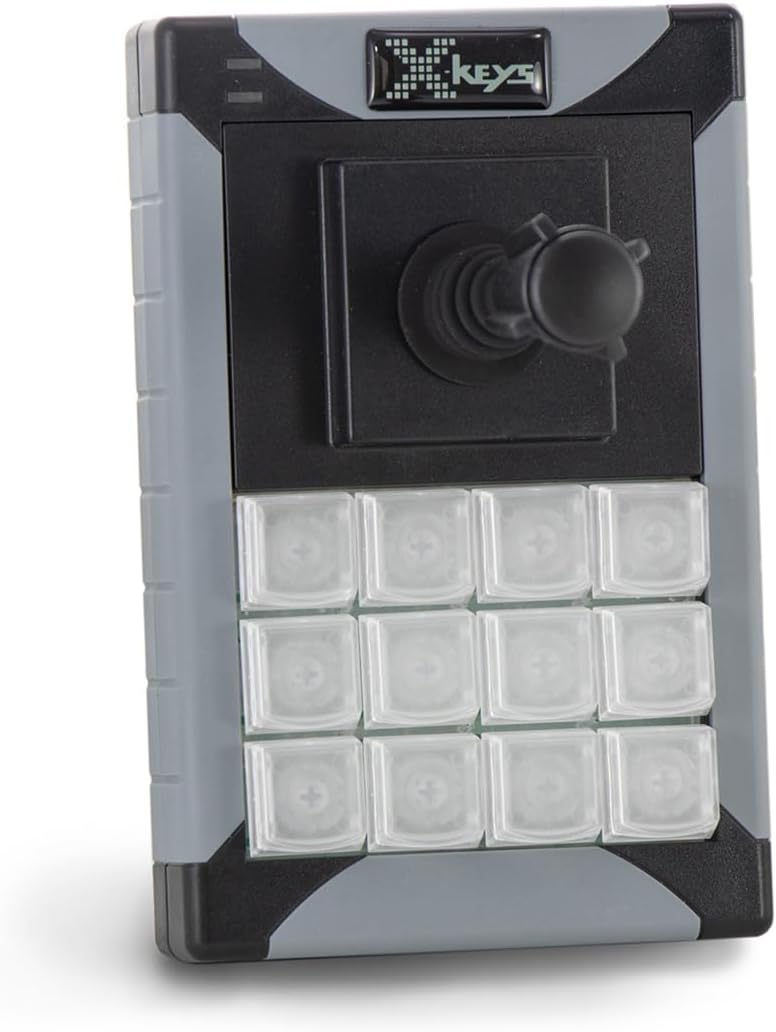 Image unavailable
$ 79.48 286.95
You save
Secure Checkout
Product description X-keys provide rugged, reliable computer input hardware - programmable keypads, keyboards, and controls. Serving everyone from individual users to multinational corporations and providing mission-critical controls with unparalleled support. Thousands of our devices make the man to machine connection in studios, laboratories, offices, factories, and homes worldwide. Instant Customization Precision three axis USB joystick with infinite Z rotation. Supported by any application which accepts USB Game Controller (Joystick) input. Add or remove keys, blockers, and large keys to create an intuitive layout for your workflow. Grouping keys with related functions improves efficiency and allows the user to focus on creative elements instead of searching for tools or functions in the interface. Two tall keys, one wide key, and a key puller are included. Large keys and key blockers are available as accessories. Clear Key Lenses Hold Legends Securely and Protect them from Wear Select from a sheet of pre-printed icons or create your own legends on the blank sheet which is also included. Clearly labeling your dedicated keys improves efficiency and shortens training time for new users. Included Software for Windows and OS X MacroWorks 3.1 for Windows features a wide range of macros including shortcuts to frequently used programs, folders, and files. Keyboard Mastro for Mac OS includes support for all of X-keys programmable keyboards. The joysticks, T-bar, Jog & Shuttle as well as some KVM models are excluded. Keyboard Maestro cannot control our LED’s either, however, users can change the LEDs on a Windows computer in Hardware mode. MacroWorks 3.1 is included as a free download with all X-keys USB devices. Keystrokes and combinations may also be written into the X-keys memory to emulate a USB keyboard or mouse function on any operating system. Use MacroWorks for Windows to take advantage of this feature. Application Specific Layers and Special Functions Using MacroWorks for Windows, each application on your system can have its own set of dedicated keys. This allows the same key to trigger different macros in different programs. For example, the Move tool shortcut in Photoshop is V but in Sketchup, it is M. Using an application specific layer, the same key will send V if Photoshop has focus and M if Sketchup has focus. An array of special functions including F13-F24 keys, multimedia commands (Play/Pause, Volume Up or Down, Previous or Next Track, etc.), Time and Date insert, and more are selected under the Functions tab in MacroWorks. Complex macros may be constructed and edited line by line including delays, repeats, and separate macros on press and release of an X-key. Integrated joystick with 68 keys and USB connection to computer Program macros, shortcuts, applications and more Optional key blockers and large keys create the perfect control panel Individual addressable backlighting, NDI support Free SDK for Windows, OS X, Linux, and Android X-keys can be programmed with Windows XP-Windows 11 & MacOS 10.14-MacOS 13 Linux users should expect to pre-program their X-keys with ‘Hardware Mode’ prior to bringing their X-keys over to Linux installs
Joysticks
Racing Wheels
Gaming Keyboards
Joysticks